
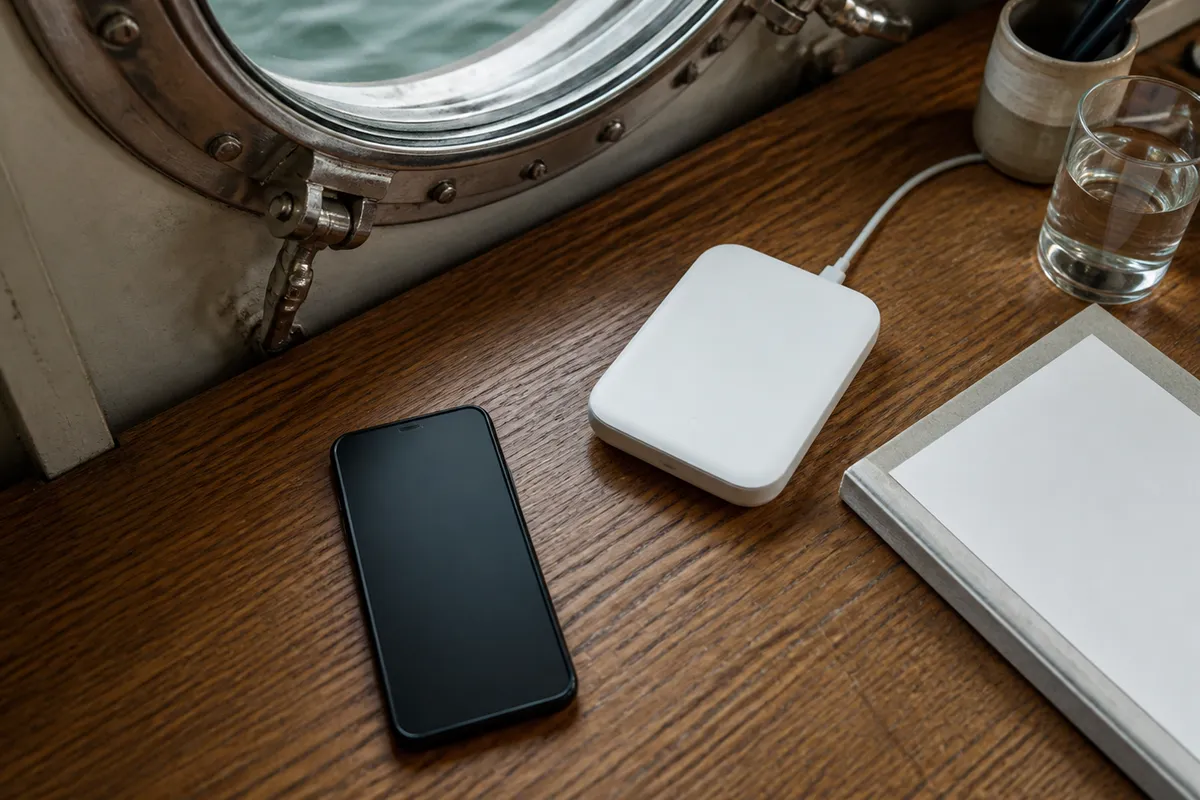
Operating remote workflows from waterborne accommodations has become increasingly fraught in 2026 as carriers retire legacy 3G networks and transition fully to mid-band 5G spectrum. This infrastructure shift leaves guests in lower-deck steel cabins facing abrupt, complete signal blackouts rather than the slow, degraded data connections of previous years.
For digital professionals who rely on uninterrupted low-latency connections, booking a converted historic iron barge requires a radically different technical preparation than reserving a modular room atop a concrete pontoon. Choosing the wrong vessel architecture or failing to bring dedicated hardware means burning through phone batteries while battling dropped client video calls and unresponsive captive portals.
The Physics of Waterline Dead Zones: Why Metal Hull Cellular Blocking Destroys Connectivity
The Faraday Cage Effect: How Continuous Steel Bulkheads Attenuate Radio Frequencies
When you step down a narrow companionway into a below-deck cabin, the sudden silence is matched by the instant death of your mobile carrier connection. Converted freight barges, vintage tugboats, and naval botels are built around thick, welded structural plates. In radio frequency engineering, this enclosure forms an unintended electromagnetic shield known as a Faraday cage, reflecting and absorbing incoming electromagnetic radiation.
Standard drywall in an onshore hotel introduces a negligible link budget loss of only 2 to 4 dB at 2.4 GHz and 3 to 5 dB at 5 GHz. Solid interior hardwood doors account for a manageable 10 to 15 dB drop. In sharp contrast, continuous structural steel bulkheads introduce between 32 dB and 50 dB of RF attenuation, extinguishing up to 99.999% of incoming radio signal power before it reaches your desk.
This attenuation multiplies exponentially once a cabin sits near or beneath the external river waterline. Surrounding river water possesses high dielectric permittivity, absorbing stray high-frequency radio waves and eliminating ground reflection diffractions that normally bounce into onshore basement windows. In my stays across harbor conversions in Rotterdam, closing a heavy steel cabin door instantly severed all incoming mobile data packets.
Waterline cabins encased in continuous steel hulls lose secondary diffracted radio waves entirely. If your berth sits below the river level, expect complete mobile transceiver blackout regardless of how close the city cell tower stands on the shore.
Modern Retrofits: Double-Pane Low-E Glass and Corridor Line-of-Sight Bottlenecks
Many travelers assume that booking an upper-deck cabin with an exterior window circumvents metal hull cellular blocking. However, modern environmental retrofits on European urban botels frequently install thermal double-pane Low-E (low-emissivity) insulated glass to meet municipal energy efficiency mandates. These panes feature microscopically thin, transparent layers of metal oxides designed to reflect radiant heat back into the cabin.
That same microscopic metallic layer acts as a highly effective RF shield. Independent architectural RF measurements show that Low-E insulated glass units attenuate cellular frequencies by 24 dB to 40 dB, with typical real-world losses hovering between 30 dB and 34 dB. This coating blocks more than 99.9% of incoming cellular RF energy, neutralizing the window as a viable radio entry point.
You can verify your cabin window glazing using a simple optical test without technical instruments. Hold a lighter flame or pocket penlight close to the double glazing at night. You will observe four reflected flame images across the two panes; if one of the reflections exhibits a distinct violet, bluish, or greenish hue compared to the warm yellow of the others, the glass features a metallic Low-E coating.
Compounding this issue, internal hospitality networks frequently suffer from corridor access point line-of-sight bottlenecks. Botel operators often place a single commercial wireless access point every 15 meters along the central hallway ceiling. While signal strength registers at −50 dBm directly beneath the access point, latching your fire-rated steel berth door drops the signal to −82 dBm or worse inside the room, causing severe transmission retries and packet collisions.
Pontoons vs. Metal Hulls: Why Foundation Engineering Decides Floating Hotel Phone Signal
Heavy Concrete Pontoons vs. Steel Shells: Structural RF Behavior
Floating hospitality properties fall into two distinct engineering architectures: adapted metal vessels and purpose-built pontoon platforms. Converted steel hulls function as closed metallic containers that deflect terrestrial radio signals, while pontoon-based properties utilize buoyant foundations solely to support terrestrial-style superstructure materials like cross-laminated timber, composite framing, and structural glass.
Remote Scandinavian properties like Sweden's Salt & Sill on Klädesholmen rest upon heavy reinforced concrete pontoons with expanded polystyrene (EPS) cores manufactured by SF Marina. Because the guest rooms are constructed as modular timber superstructures above the waterline rather than inside a hollow metal ballast space, incoming RF signals pass through exterior walls without metallic attenuation, allowing stable terrestrial fiber-fed Wi-Fi across all units.
Similarly, urban modular installations such as Good Hotel London at Royal Victoria Dock utilize concrete pontoon foundations. Their upper guest rooms deliver uninhibited in-room Wi-Fi throughput of 50 to over 100 Mbps, avoiding the Faraday cage issues that plague guests staying on nearby converted historic cargo vessels. Those interested in river accommodations can read my breakdown of river hotels and moored cruise ships to understand deck layouts before reserving.
| Foundation / Hull Type | Superstructure Material | RF Signal Attenuation | In-Room Wi-Fi Behavior | Grounding Plane Dynamic |
|---|---|---|---|---|
| Converted Steel Hull | Continuous welded steel plates | 32 dB to 50 dB (Up to 99.999% loss) | Corridor AP blocked by fire-rated steel doors | Hull acts as an ungrounded floating shield |
| EPS-Core Concrete Pontoon | Two-story modular Scandinavian timber | 4 dB to 8 dB (Low wood attenuation) | Full room penetration from ceiling APs | Submerged concrete avoids metallic shielding |
| Floating Concrete Barge | Modular dry-construction units | 6 dB to 12 dB (Moderate loss) | Even distribution via central corridor risers | Minimal multipath distortion on upper floors |
Open water surroundings also introduce multipath interference. Radio signals traversing the river surface reflect off the water, creating phase-shifted waves that collide with direct line-of-sight signals. This phase collision produces Rayleigh and Rician fading, causing your floating hotel phone signal to swing erratically by 15 to 20 dB as the vessel bobs on passing vessel wakes.
When reviewing botel listings, inspect the structural foundation. If the building looks like a two-story timber pavilion resting on a concrete slab, your cell phone will function normally. If it features a curved ship bow and riveted steel plates, prepare for signal isolation.
Spectrum Vulnerability: Sub-1 GHz Cellular Bands vs. Mid-Band 5G Penetration
Carrier radio frequency bands behave fundamentally differently when encountering ship bulkheads. Lower cellular spectrum bands operating below 1 GHz—such as LTE Bands 12, 13, 20, and 28 (700 MHz to 850 MHz)—feature longer wavelengths that can diffract around gangway openings, companionway hatches, and ventilation shafts with manageable path loss.
In contrast, mid-band 5G frequencies, particularly Band n78 operating at 3.5 GHz, deliver high bandwidth but suffer extreme skin depth attenuation when striking steel plates. A structural steel bulkhead that attenuates an 800 MHz Band 20 signal by 34 dB will attenuate a 3.5 GHz 5G signal by more than 48 dB, dropping it instantly below receiver sensitivity thresholds.
Smartphones compound this problem through carrier-aggregation firmware logic. Modern devices persistently attempt to hold onto a high-capacity mid-band 5G pilot signal even when the link budget is failing. Your phone may display an icon indicating connected 5G service near a porthole, yet data transfers stall completely because the handset cannot negotiate the uplink handshake through the metal frame.
You can resolve this deadlock by forcing your mobile device into a lower-frequency mode. On Android devices, open the network settings and select "LTE Only" or "4G/3G" to stop the baseband transceiver from hunting for inaccessible 5G frequencies. On iOS, navigate to Cellular Data Options and set Voice & Data to "4G" or "LTE" to stabilize connection to robust sub-1 GHz bands.
On-Site Diagnostic Protocols: Measuring RSRP Signal and Hardware Strain
Field Test Mode Diagnostics: Reading Raw Cellular Metrics Beyond Signal Bars
The signal indicator bars in your smartphone status bar are decorative approximations calculated using proprietary smoothing algorithms. To understand the actual transmission quality in your floating berth, access raw engineering diagnostic menus to monitor Reference Signal Received Power (RSRP), Reference Signal Received Quality (RSRQ), and Signal-to-Interference-plus-Noise Ratio (SINR).
On an iPhone, dial *3001#12345#* into the native keypad and tap call to launch the iOS Field Test application. Navigate to the Serving Cell Info dashboard to observe the real-time RSRP metric expressed in negative decibel-milliwatts (dBm). On Android devices, enter *#*#4636#*#* into the dialer to open Testing > Phone Information, or download verified diagnostic tools like Network Cell Info Lite.
| RSRP Reading | SINR Quality | Real-World Remote Work Feasibility | Observed Performance |
|---|---|---|---|
| −70 dBm to −85 dBm | > 10 dB | Flawless HD video conferencing & screen share | Instant web page delivery; <30 ms latency |
| −86 dBm to −100 dBm | 2 dB to 10 dB | Standard productivity, SaaS platforms, email | Slight audio buffer delays; 720p video drops |
| −101 dBm to −108 dBm | −3 dB to 2 dB | Asynchronous text messaging, simple browsing | Frequent video freeze; VoIP dropped calls |
| Worse than −110 dBm | < −3 dB | Unusable; critical packet transmission failure | Modem cycle drops; baseband disconnects |
An RSRP measurement between −70 dBm and −85 dBm represents optimal reception for uninterrupted remote work. If your berth displays a figure worse than −105 dBm paired with an SINR below 0 dB, the connection will drop video frames and drop calls during two-way screen sharing sessions. For more details on space limitations and noise challenges aboard converted barges, see my notes on sleeping on water cabin realities.
Transceiver Strain: Why Metal Berth Dead Zones Drain Smartphone Batteries
When a smartphone enters an RF-attenuated metal cabin, its baseband processor detects a collapsing signal-to-noise ratio. To maintain the digital handshake with the carrier tower, the device's power management integrated circuit escalates the RF power amplifier output to its absolute ceiling of +23 dBm (approximately 200 milliwatts).
This continuous maximum-power broadcast loop generates notable internal heat and accelerates battery consumption up to two to three times faster than normal. During my testing in lower-deck cabins on converted grain barges, an idle phone battery dropped from 100% to depleted within four hours simply searching for base stations through the iron plates.
Operating transceivers at continuous peak power degrades battery chemistry over extended stays. To protect your hardware, establish a simple baseline rule: whenever your cabin diagnostics indicate an RSRP worse than −105 dBm and you have access to onboard Wi-Fi, enable Airplane Mode and toggle Wi-Fi Calling to route calls over the local router without exhausting your battery.
Conquering Splash Screens: Travel Routers and Bypassing Captive Portals on Botels
Travel Router Architecture: MAC Address Cloning and Persistent VPN Tunnels
Hospitality networks on floating accommodations present operational friction for remote workers. Many floating hotels enforce captive portal splash screens that restrict access to a single device per booking, require periodic browser logins, or block private peer-to-peer traffic between your personal hardware devices.
Deploying a dedicated dual-band portable travel router, such as the GL.iNet Beryl AX (GL-MT3000), bypasses these constraints. Retailing between $109 and $139 USD, this pocket-sized unit features a dedicated multi-radio architecture that connects to the public botel Wi-Fi network as a client while simultaneously broadcasting a private, encrypted local Wi-Fi 6 subnet inside your berth.
- Power the travel router using its USB-C port and connect your smartphone to the router's private setup network.
- Access the router admin panel, navigate to the Wireless Repeater menu, and scan for the botel's public SSID.
- Open your smartphone browser, load any unencrypted webpage (such as
http://neverssl.com), and complete the botel captive portal login sequence. - Return to the travel router administration dashboard, navigate to Network > MAC Address, and select "Clone MAC Address" to copy your phone's authenticated physical address to the router's WAN interface.
- Toggle on the built-in WireGuard VPN client configured with your remote office or home server endpoint.
Routing all berth traffic through an on-router WireGuard VPN tunnel creates an encrypted corridor that insulates your data from unsecured public guest networks. This configuration bypasses local guest isolation rules, allowing your laptop, tablet, and phone to communicate locally while presenting only one approved MAC address to the floating hotel's gateway.
If a captive portal login page refuses to populate automatically after connecting to the botel Wi-Fi, manually enter
192.168.1.1,1.1.1.1, orhttp://neverssl.cominto your browser URL bar to force the gateway redirection trigger.
Defeating Timeout Drops: Private MAC Randomization and Lease Termination
A frequent failure point when working remotely on a botel is the sudden disconnection of background VPN tunnels and cloud syncing tasks. This issue usually stems from two software behaviors: mobile operating system MAC address cycling and aggressive gateway session timeouts.
Modern client operating systems—including iOS 14+, Android 10+, and macOS Sequoia 15—enable "Private Wi-Fi Address" by default. This privacy feature periodically generates a randomized virtual MAC address for the local wireless network. When your device rotates its virtual MAC address, the botel's gateway treats it as an unauthenticated user, tearing down your active TCP sockets and presenting the captive portal splash screen again.
To stop randomized disconnects, access the Wi-Fi configuration menu for the botel network on your device and switch Private MAC Address to "Off" or "Fixed". This maintains a static MAC address throughout your stay, ensuring the hotel gateway retains your active authorization token.
However, hospitality network gateways also enforce automated hard session timeouts every 4, 8, or 24 hours to clear inactive leases. Simple background ICMP ping scripts prevent short 15-minute idle timeouts by generating baseline traffic, but they cannot stop hard administrative lease expirations. For long-term stays, configure an automated script via the travel router's cron utility to periodically post the authentication token through cURL, reauthorizing the lease before scheduled drops occur.
Hardware Solutions for Prolonged Stays: Boosters, Antennas, and Satellite Internet
Marine Cellular Repeaters: External Omnidirectional Antennas and Legal Guardrails
For guests spending weeks aboard static houseboats, long-term botels, or converted barges, pulling an external cell signal through the steel shell requires active amplification hardware. Systems like the weBoost Drive Reach Marine kit (SKU 470154-MA) feature an external omnidirectional marine antenna and deliver up to 50 dB of system gain to bypass metal hull cellular blocking.
The physical installation uses a flexible 20-foot RG-58 coaxial cable (50-ohm impedance) included in the kit, which runs from the marine-grade mast antenna through an existing deck gland or porthole weather seal down to an internal booster unit. The internal panel antenna then redistributes the amplified signal inside the steel cabin.
Operating active repeaters aboard floating accommodations carries strict legal responsibilities and technical risks. The primary failure mode on compact vessels is oscillation feedback: if the external receiving antenna and internal broadcasting panel are positioned too close together, the system enters a continuous feedback loop that causes the amplifier to shut down automatically.
You must maintain at least 15 to 20 feet of horizontal separation or 8 to 10 feet of solid metallic vertical bulkhead isolation between the external marine antenna and the interior antenna to prevent oscillation shutoff.
Legal compliance varies sharply across jurisdictions. In the United States, consumer boosters are governed by the Federal Communications Commission under FCC 47 CFR § 20.21. This rule requires mobile repeaters to include active oscillation detection and automatic gain control, and mandates that operators register the booster with their wireless carrier before activation.
In the European Union, the regulatory framework is significantly more restrictive. Under the Radio Equipment Directive 2014/53/EU, operating broad-spectrum consumer cellular repeaters without explicit mobile network operator licenses is illegal in most member states. Fines for deploying unauthorized active cellular repeaters range from €500 to over €10,000 under national spectrum agency enforcement, making them impractical for standard travelers across Europe.
Low Earth Orbit Deployments: Starlink Mini for Moorings and Remote Inland Waters
For travelers staying on remote pontoons, estuary barges, or houseboats outside fiber-optic reach, satellite internet provides a reliable connection. As of 2026, the backpack-sized Starlink Mini terminal retails starting at $199 USD and integrates an active phased-array antenna and Wi-Fi 5 router into a compact weather-resistant chassis.
Starlink Roam regional subscription tiers in 2026 offer practical flexibilities: $55 per month for a 100 GB metered data plan, $80 per month for 300 GB, and $175 per month for an Unlimited data plan. These plans provide low-latency connectivity on inland waterways and floating pontoons without long-term contracts. Up-to-date regional tiers are listed on the official Starlink Service Plans portal.
The Starlink Mini consumes an average of only 25W to 40W of direct current during normal operation (idling at ~15W with a maximum peak draw of 60W). Because it accepts a 12V to 48V DC input via an included barrel jack adapter, the dish can run directly from a standard 100W (20V/5A) USB-C Power Delivery (PD) portable power bank, eliminating the 15% efficiency loss of heavy DC-to-AC power inverters.
However, urban moorings present specific physical constraints for satellite terminals. The phased-array antenna requires a clear field-of-view cone of roughly 100 to 110 degrees pointed toward the sky. When moored alongside multi-story brick canal warehouses, high concrete seawalls, or dense riverside tree canopies, satellite tracking links suffer from recurring micro-outages every few minutes as orbital craft pass behind quayside obstacles.
Working Remotely on a Botel: Practical Connectivity Workflows and Booking Checklists
Pre-Booking Room Selection: Cabin Elevation, Portholes, and Access Point Proximity
Securing a productive cabin begins long before you set foot on the boarding gangway. When researching properties, evaluate vessel floor plans and exterior photos to identify where guest rooms sit relative to the water line. You can review my assessments of Amsterdam botels and ship hotels to see how specific harbor vessels handle room layouts.
Before confirming a non-refundable stay, send a direct inquiry to the front desk management to verify their network and cabin architecture. Floating hotel managers can usually tell you if a room sits below the main deck.
- "Is Cabin [Number] located entirely above the external waterline, and does it feature single-pane operable glass or double-pane Low-E coated thermal windows?"
- "Are the wireless network access points installed directly inside individual cabins, or mounted in the central corridor between steel bulkheads?"
- "Can your on-site engineering team provide a screenshot of an Ookla or Fast.com speed test taken inside the cabin showing latency and upload speeds?"
- "Does the cabin face the open water or the land-side pier where the nearest onshore cell base stations sit?"
Prioritize cabins on the landward side of the vessel. Terrestrial cellular towers are typically situated on shore-side rooftops or quayside masts. An outboard cabin on the river side requires radio waves to wrap around or penetrate the vessel's metallic superstructure, cutting cellular signal strength by 15 dB to 25 dB compared to an inboard pier-facing cabin.
Digital Nomad Workstation Protocols: Redundancy in Steel Accommodations
Setting up an effective workstation within a metal hull requires practical physical adjustments. Do not leave your mobile phone or cellular hotspot resting on an interior wooden desk, where metal bulkheads choke off cellular coverage. Instead, mount your primary transceiver directly against the cabin porthole or window glass.
Pack a marine-grade suction-cup mount (such as a RAM Mounts or SeaSucker bracket) paired with a 3-meter active USB extension cable. Affix your mobile hotspot or smartphone directly to the cabin window pane to exploit what little radio signal leaks through non-shielded glass, running the USB data cable directly back to your laptop workstation on the desk.
To safeguard important client meetings against botel Wi-Fi dropouts, configure a multi-WAN failover pipeline using your GL-MT3000 travel router. Plug your window-mounted smartphone into the router's USB port with USB Tethering activated, while the router's primary wireless radio connects to the botel's guest Wi-Fi. If the hotel network drops its gateway lease, the router shifts traffic to your cellular connection in seconds without interrupting your ongoing audio call.
Final Verdict: Navigating Floating Accommodations Without Dropping Offline
Foundation Engineering Verdict: Structural Selection Heuristic
Reliable internet connectivity aboard floating accommodations comes down to the underlying structural foundation. Converted historic cargo ships, steel-hulled barges, and military botels present continuous metallic bulkheads and heavy fire doors that systematically block external cellular frequencies and corridor Wi-Fi signals. These vessels require deliberate hardware preparation, specific cabin selection, and active carrier-band management.
In contrast, modern floating hotels erected over EPS-core concrete pontoons—exemplified by timber-built modular units—operate without Faraday cage interference. Their walls allow terrestrial RF penetration, and their room distribution networks deliver steady 50 to 100+ Mbps connections matching onshore boutique hotels. Knowing these structural differences allows you to accurately predict connectivity within sixty seconds of reviewing exterior vessel imagery.
The Connectivity Decision Matrix: Gear Stacks Categorized by Stay Duration
Select your connectivity equipment based on the structural makeup of your vessel and the length of your stay:
- Weekend Stay in a Converted Hull: Purchase no additional equipment. Lock your mobile handset to "LTE/4G Only" to leverage sub-1 GHz bands (B12/B20/B28). Disable "Private Wi-Fi Address" on your device to stop captive portal disconnects, and turn on Airplane Mode with Wi-Fi Calling in lower-deck berths to preserve battery life.
- One- to Two-Week Remote Sprint: Deploy a portable Wi-Fi 6 travel router like the GL.iNet Beryl AX. Authenticate your laptop via cloned MAC address, run all traffic through a persistent WireGuard VPN tunnel, and anchor your smartphone against an upper-deck window pane using a marine suction-cup mount with USB tethering configured as an emergency failover.
- Extended Houseboat or Static Pontoon Stay: Deploy an independent low-latency uplink. In remote or obstructed waters, set up a Starlink Mini terminal paired with a flexible 100 GB or 300 GB Roam plan, powering the unit via a 100W USB-C PD power bank. On US inland waterways with line-of-sight to terrestrial towers, an FCC-registered weBoost Drive Reach Marine kit bridges exterior signals into the cabin through dedicated RG-58 cabling.